Skip to content

For salons, barbers, and beauty pros

Your salon’s bookings,
clients, and payments.
One app.

Online booking, client cards, SMS reminders, and Tap to Pay for hair stylists, barbers, nail techs, and lash & brow artists — solo or with a small team.

Start free. Stay free for the essentials.Unlimited appointments and clients. No subscription required.
Download on the App StoreGet it on Google Play

For iPhone and Android.
SMS credits and payment processing are charged separately.

Try the client booking experience
A hair stylist checks her schedule on her phone while her client sits in the chair
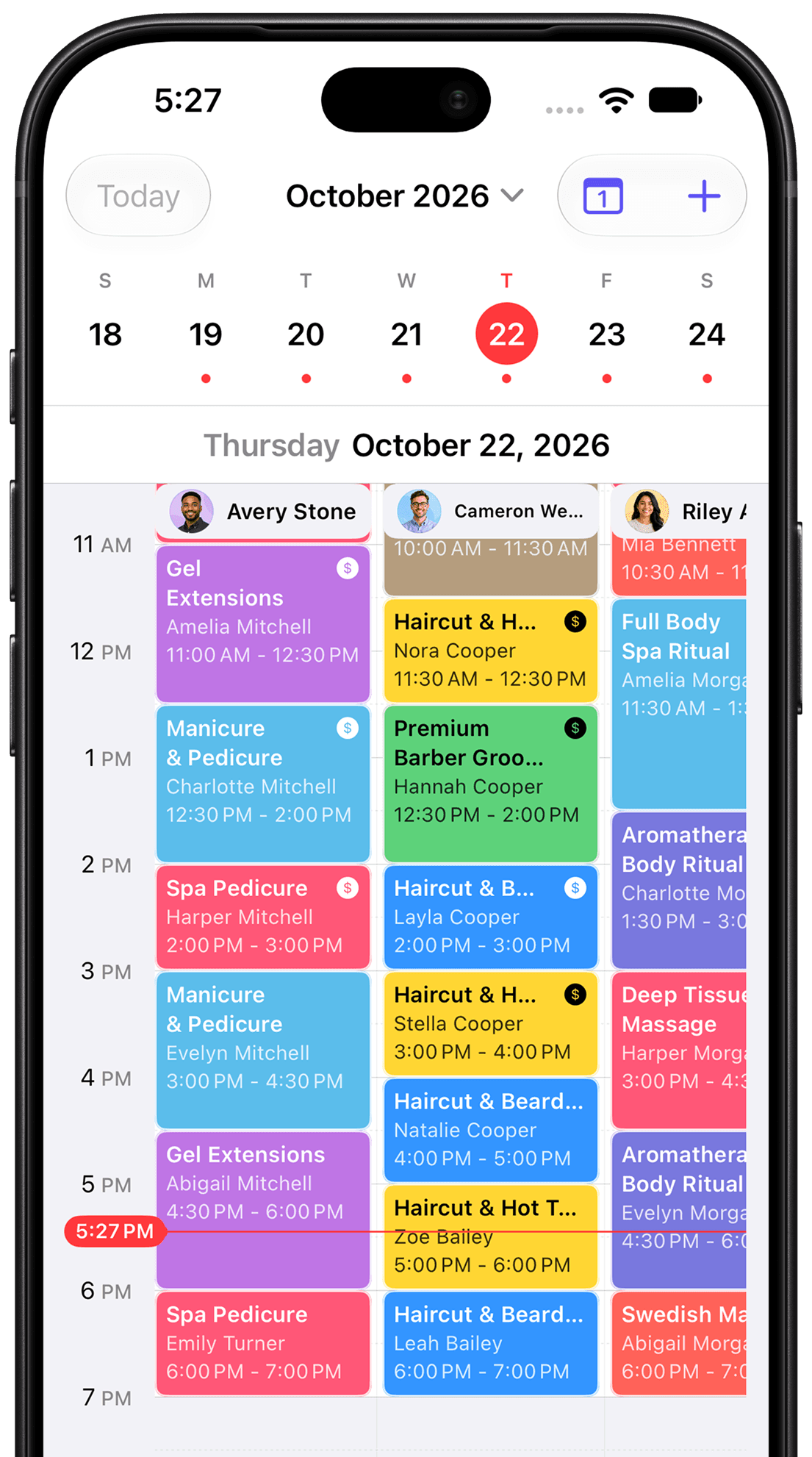
Desk iPhone app showing a day of appointments across team members

Built for the beauty chair

From one chair
to a small salon team.

Set up your own service menu, prices, durations, and add-ons. Desk fits the way you work.

Hair salons & stylists

Cuts, color, blowouts, and treatments with add-ons

Barbers

Fades, beard trims, and hot towel shaves

Nail techs

Gel, extensions, manicures, and pedicures

Lash & brow artists

Lash sets, fills, lamination, and brow shaping

Skin, spa & massage

Facials, waxing, massage, and body treatments

Makeup artists

Bridal, events, and lessons

Not in beauty? Desk works for any business that books clients by appointment.

  • Personal trainers
  • Tattoo artists
  • Pet groomers
  • Tutors & coaches
  • Photographers
  • Consultants
  • Home services
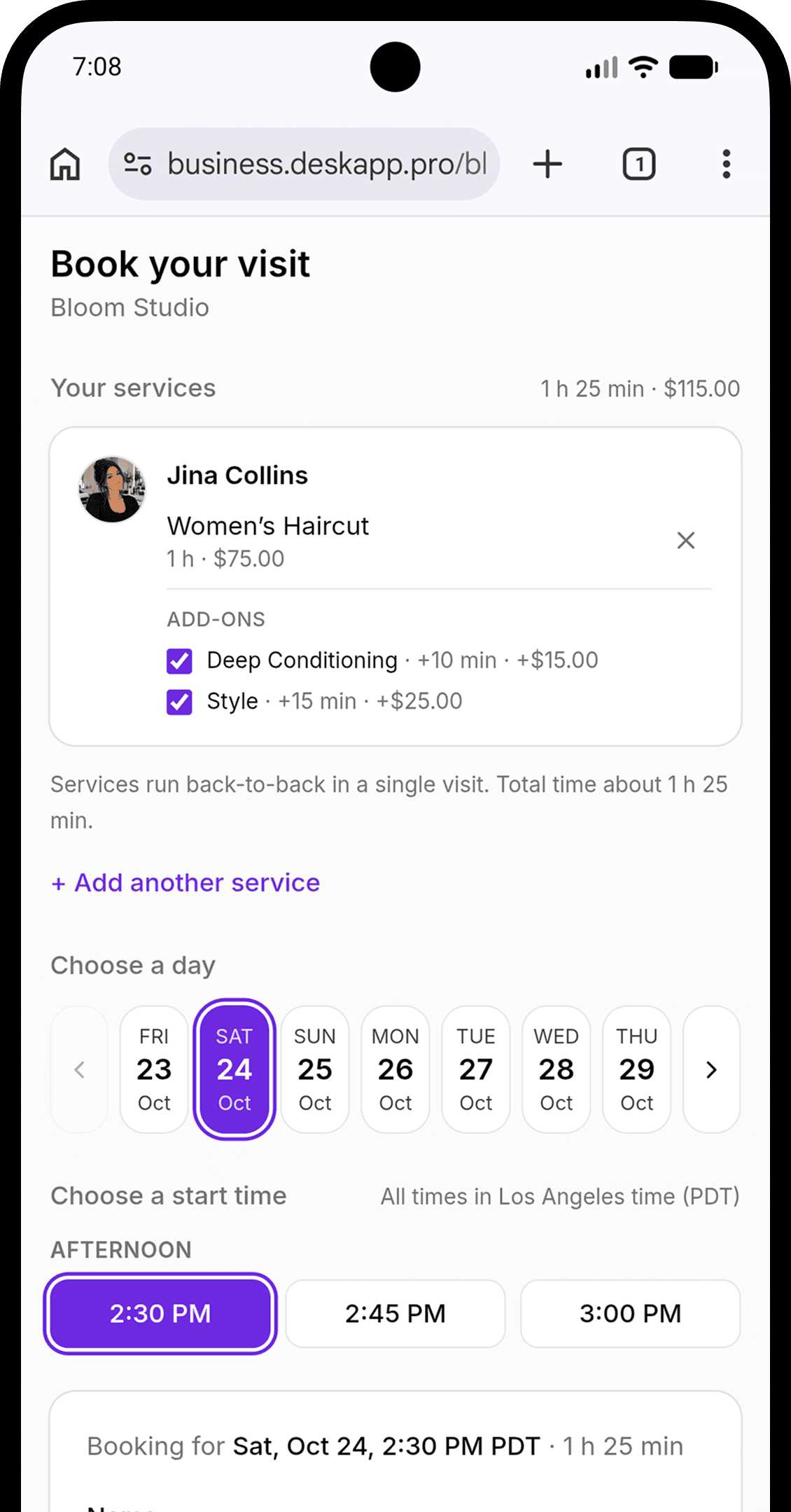
Desk booking page for Bloom Studio with a selected service, add-ons, date, and appointment time
Your booking link.
Open while you work.

Online booking

Let clients book.
Get back to the chair.

Put one link in your Instagram bio, on your website, or in a text. Clients pick a service, add-ons, and an open time right from their browser.

  • Your service menu, prices, and availability
  • Add-ons like deep conditioning or nail art
  • No app or account needed for your clients
Make a demo booking

Explore with sample data. No real booking or payment.

Client records

Remember every formula
and every preference.

Contact details, color formulas, preferences, notes, and visit history stay on one client card. Greet regulars like you saw them yesterday.

  • A client card for every regular
  • Notes that give your team context
  • Your client list on your phone and computer
Desk iPhone app showing a client card with contact details, an allergy alert, a color formula note, and family details
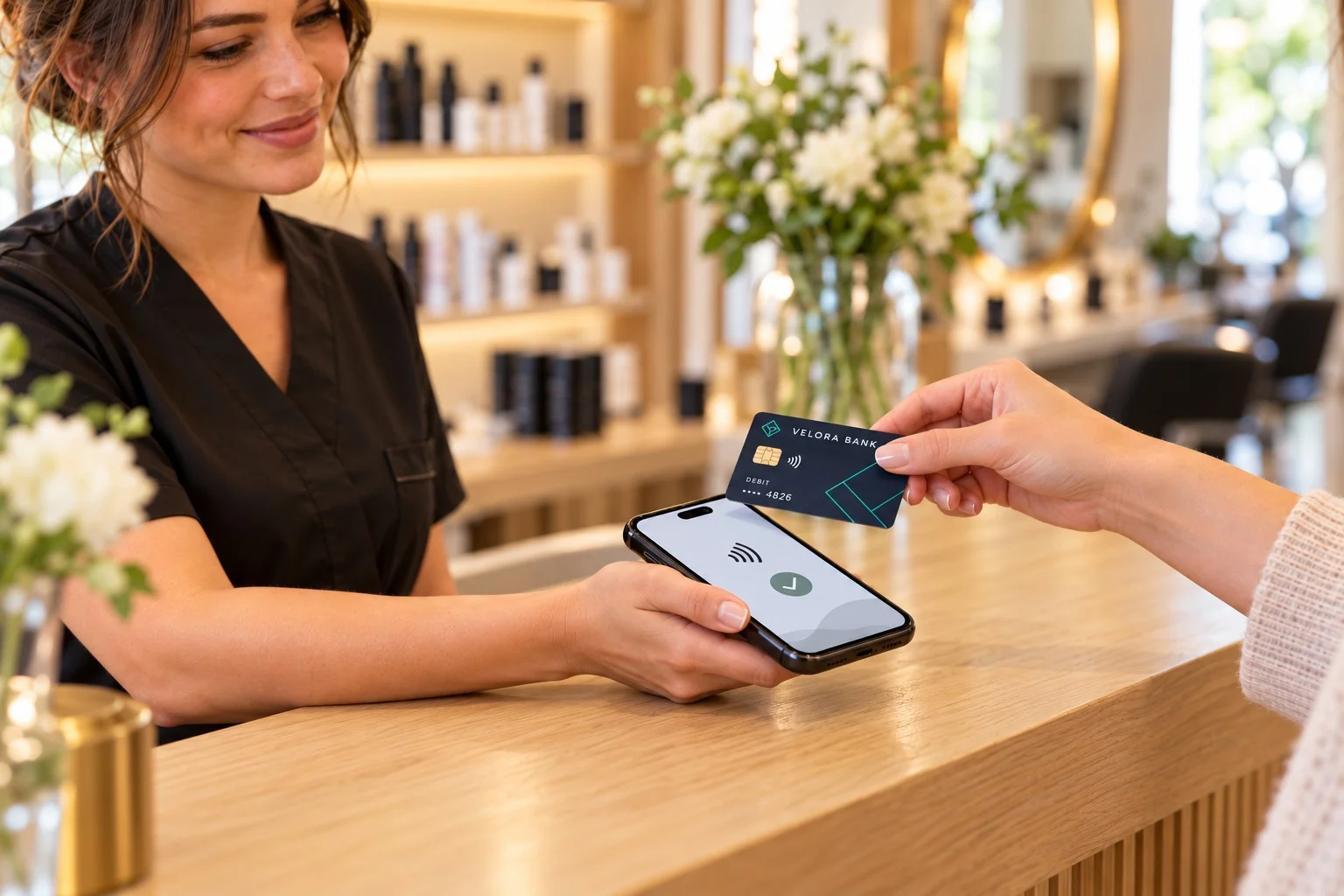
A salon client paying by tapping a card on the stylist’s phone

Payments & reminders

Fewer no-shows.
Faster checkout.

Take a card on your phone with Tap to Pay, send a payment link, or issue an invoice. On Pro, collect a deposit when a client books.

Powered by your Stripe accountAutomatic SMS appointment reminders
Example SMS from Bloom Studio reminding a client of their appointment and how to opt out

SMS credits and payment fees apply. Tap to Pay requires a compatible device and is available in supported countries.

Bring your clients with you

A fresh start.
Without starting over.

Your regulars took years to build. Bring supported client exports from Booksy, Vagaro, Square, or DIKIDI instead of retyping every name and number.

See how client import works
BooksyVagaroSquareDIKIDI
Your client export
Your clients, now in DeskExport → import

Supported client fields vary by source. Imports do not transfer your full booking or payment history.

A little more room to work

On your phone.
And at the front desk.

Run the day from your phone between clients. Open the web dashboard at the front desk for a bigger view of your calendar, clients, and reports.

Desk web dashboard

Desk web dashboard calendar showing a salon team's week of appointments

Set up your services and working hours in the mobile app. Use the web dashboard alongside it.

Pricing

Start free. Upgrade when you grow.

The free plan runs a real business — bookings, payments and clients included. Pro adds deposits, forms, your team and full reports.

Free

$0forever

Everything you need to take bookings and get paid from day one.

  • Unlimited appointments and clients
  • Public booking page with real-time availability
  • Card payments and payment links, powered by Stripe
  • In-person payments with a card reader or Tap to Pay
  • Client records, history and notes
  • Business overview dashboard
  • One team member and one business
  • 25 SMS credits to get started

Not included

  • Deposits at booking
  • Intake and consent forms
  • Team members
  • Full reports
More ways to grow

Pro

$14.99per business / month

Everything in Free, plus the tools a growing team needs.

  • Deposits — collect an upfront payment when clients book
  • Intake and consent forms, signed before the visit
  • Team members — one included, $7/mo per additional member
  • Full business reports with CSV and PDF export
  • Multiple businesses, each on its own plan
  • Billed monthly through Stripe — cancel anytime

All prices are in USD. Applicable sales tax is added at checkout.

What else you pay for

SMS and card processing have the same rates on Free and Pro. Additional team members require Pro.

SMS credits

Text messages are prepaid per segment — no monthly fee, nothing expires.

100 SMS credits
$2.99
500 SMS credits
$11.99
1,000 SMS credits
$19.99

Every new business gets 25 credits free. Confirmations, reminders, reschedules, cancellations, receipts and client messages each use credits based on message length and encoding. STOP and HELP replies are never charged.

Extra team members

You are included in every plan. Each additional person you add to the business is a seat on Pro.

First team member
Included
Each additional member
$7/mo

Seats adjust automatically when someone joins or leaves, and mid-cycle changes are prorated on your next invoice.

Payments

You keep your own Stripe account and its standard processing rate — Desk adds one small platform fee.

Stripe processing
Stripe's rate*
Desk platform fee
0.2%

The platform fee is 0.2% of each charge (minimum 1¢) and is the same on Free and Pro. No setup fees, no monthly payment fees, no charge when you don't get paid.

* Stripe's processing rates depend on your country and the payment method. You can review the current rates at this link.

All prices in USD. Subscriptions and credit packs are processed by Stripe and can be managed or canceled anytime from the billing portal.

Before you download

A few things
you might be wondering.

Who is Desk for?

Desk is built for salons and beauty pros: hair stylists, barbers, nail techs, lash and brow artists, estheticians, and small salon teams. It also works for any business that books clients by appointment, like trainers, tattoo artists, groomers, and tutors. Add your own services, prices, hours, and team members to fit the way you work.

Can I take deposits to reduce no-shows?

Yes, on the Pro plan. Require a deposit when a client books online, so a missed appointment is not a lost hour. Deposits are paid through your Stripe account; Stripe processing charges and the Desk platform fee apply.

What can I use for free?

The Free plan includes unlimited appointments and clients, a public booking page, client records, and payments. You get 25 SMS credits to start. SMS credits and payment processing are charged separately; Pro adds deposits, forms, additional team members, and full reports.

Do my clients need to download Desk?

No. Clients open your booking link in their browser, choose a service and available time, and submit their booking. They do not need a Desk account or the app.

Can I bring clients from another app?

Yes. Import supported client exports from Square, Booksy, Vagaro, and DIKIDI in the web dashboard. Fields depend on the source file. This imports client records, not your entire appointment or payment history. Import each file once: running the same file again adds the clients a second time.

Can I work from my computer?

Yes. The web dashboard gives you access to your calendar, clients, team, reports, and billing. Use the mobile app to set up services and working hours. Some features, such as Tap to Pay, require a compatible device and payment setup.

Where can I download Desk?

Download Desk using the store link for your phone. Desk is available on the App Store for iPhone and Google Play for Android.

How do payments and reminders work?

Connect your Stripe account to accept payments. Stripe processing charges and a 0.2% Desk platform fee apply. SMS uses prepaid credits; the number of credits depends on message length and encoding. Payment features vary by country, supported device, and Stripe availability.

Make room for the work you love

Fill your chair.
Desk handles the rest.

Bookings, clients, and payments for salons and beauty pros — and any business that runs on appointments.

Download on the App StoreGet it on Google Play
Start with the Free plan. See pricing and usage fees.